
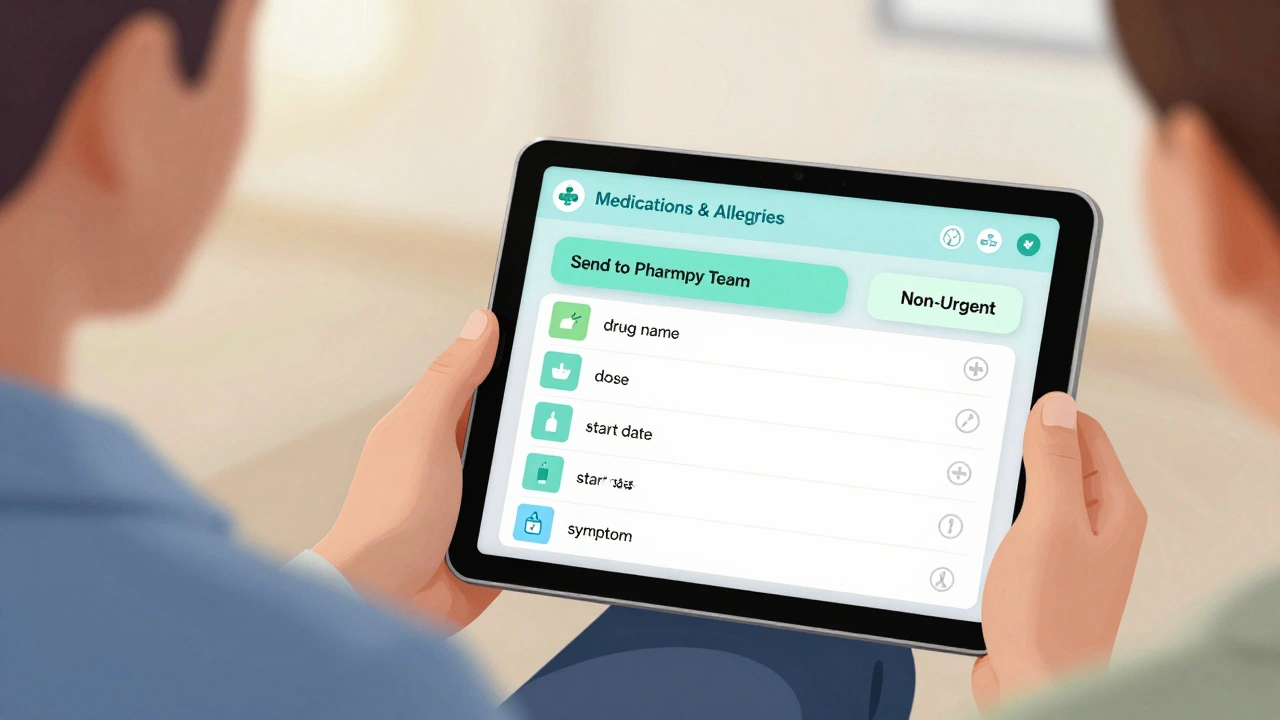
Asking questions about your meds shouldn’t mean playing phone tag or waiting days for a reply. With secure messaging, you can get clear answers without risking your privacy. It’s not text messages or email. It’s a protected system built into your doctor’s portal - and it’s safer, faster, and more reliable than you think.
Why Secure Messaging Matters for Medication Questions
Most people still call their doctor’s office when they have a question about their pills. But that leads to long hold times, missed calls, and messages getting lost. Secure messaging fixes that. It’s a private, encrypted channel built into your health portal - like MyChart or My HealtheVet - that lets you send medication questions directly to your care team.Here’s the real benefit: studies show using secure messaging cuts medication errors by 37%. Why? Because you’re not relying on memory or scribbled notes. You’re sending exact details: drug name, dose, when you started it, and what’s bothering you. That reduces confusion. And since every message is logged, there’s no guessing what was said.
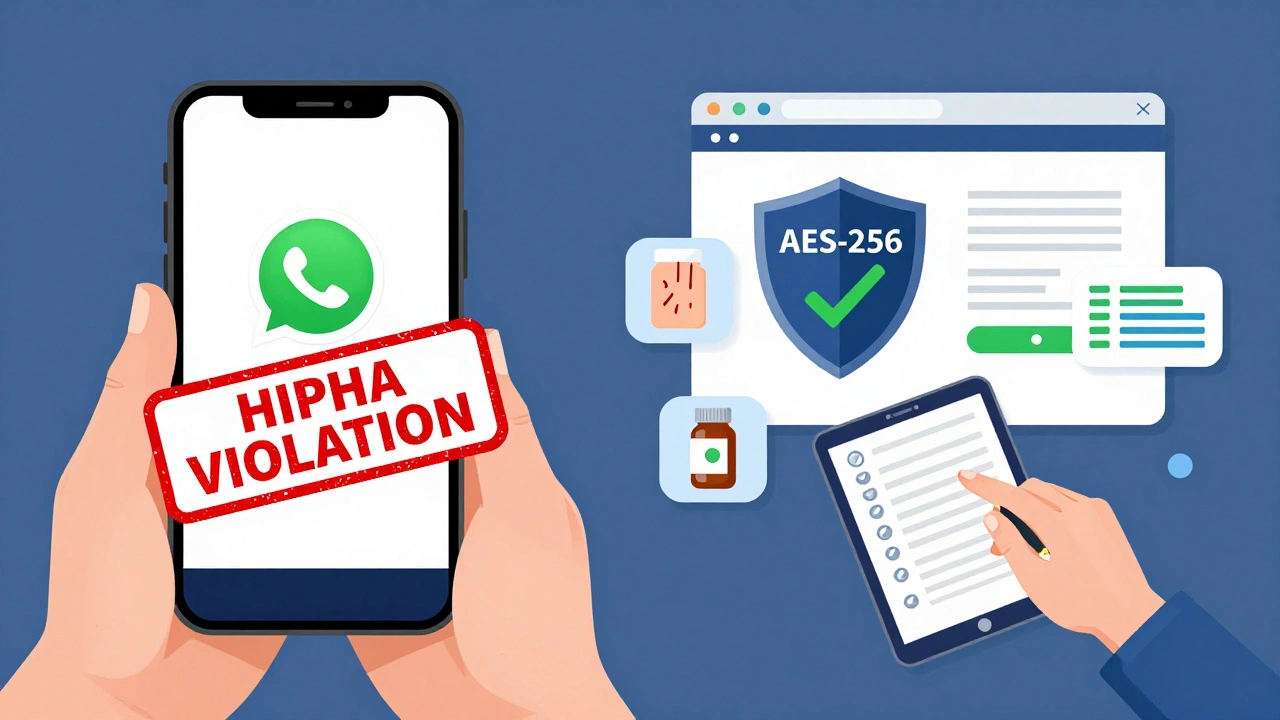
It’s also HIPAA-compliant. That means your meds, allergies, and health history are encrypted end-to-end. No one can intercept it. In 2023, the Office for Civil Rights fined a major health system $3.2 million for using WhatsApp to coordinate prescriptions. That’s how serious this is. Consumer apps aren’t safe. Secure messaging is.
How Secure Messaging Works (Step by Step)
Using secure messaging for meds isn’t complicated - but you need to do it right. Here’s how it works in most systems:
- Add your meds to your health record. Before you send a message, go to the "Medications & Allergies" section in your portal. Make sure every pill, patch, or injection is listed - including over-the-counter stuff like ibuprofen. If something’s missing, add it. This step alone reduces errors by 37%.
- Select the "Medication" category. Don’t just pick "General Question." Most portals let you choose a topic. Choose "Medication" or "Prescriptions." That sends your message straight to the pharmacy team, not a general provider. This cuts response time by up to 50%.
- Write a clear message. Don’t say, "I don’t feel right on this pill." Say: "I’m taking Metformin 500mg twice daily since last Tuesday. I’ve had nausea after meals. Is this normal? Should I take it with food?" Include brand or generic name, dose, frequency, and how long you’ve been on it.
- Attach a photo if needed. If you’re reporting a side effect like a rash or swelling, take a clear photo of the pill bottle and the reaction. 85% of platforms allow this. It helps the provider spot issues faster.
- Check notifications, not email. Your secure message will pop up in your portal or send a push notification on your phone. Never rely on email - 73% of systems block email for medication messages to keep your data safe.
You’ll get used to it after one or two tries. Most patients are fully comfortable with the system after their second message.
What to Include in Every Medication Message
Doctors and pharmacists get hundreds of messages. Make yours easy to read. Use this template:
- Medication name: "Metformin (generic) or Glucophage (brand)"
- Dose: "500 mg"
- Frequency: "Twice daily, morning and evening"
- When you started: "Since October 15"
- Your question: "I’ve had diarrhea for 3 days. Should I lower the dose?"
- Extra context: "I take it with food now, but it didn’t help."
Dr. David Bates from Brigham and Women’s Hospital says patients who include these details reduce clinician workload by 32%. That means faster answers for you.
Pro tip: Start your subject line with "MEDICATION QUESTION - NON-URGENT." Veterans Health Administration data shows this cuts misrouting by 44%. It tells the system - and the person reading it - this isn’t an emergency.
What Secure Messaging Can’t Do
It’s powerful - but not magic. Here’s what it’s not for:
- Emergency situations: If you’re having chest pain, trouble breathing, or signs of a severe allergic reaction (swelling, hives, passing out), call 911 or go to the ER. Secure messaging has a 24-72 hour response window. That’s too slow for life-threatening issues.
- Urgent refill requests: If you’re out of insulin or blood pressure meds and can’t wait two days, call your pharmacy. Secure messaging won’t speed this up.
- Changing your dose without approval: Never adjust your meds based on a message alone. Always confirm with your provider.
97% of healthcare systems block secure messaging for urgent issues. They even show a warning pop-up before you send the message. Don’t ignore it.
Top Platforms and How They Compare
Not all secure messaging systems are the same. Here’s how the big ones stack up:
| Platform | Market Share (U.S.) | Key Feature for Meds | Response Time (Avg.) | Best For |
|---|---|---|---|---|
| Epic MyChart | 55% | One-click renewal for maintenance meds | 48 hours | Large hospitals, integrated care |
| Cerner HealtheIntent | 18% | Strong allergy alerts | 60 hours | Complex drug interactions |
| Updox | 12% | Direct pharmacy integration | 36 hours | Fast refills |
| My HealtheVet | Used by VA | Separate category for meds | 24-48 hours | Veterans |
| TigerConnect | 8% | 92% accuracy on complex regimens | 72 hours | Multiple chronic conditions |
MyChart is the most common. If you’re with a big hospital, you’re probably using it. Updox is great if you need refills fast - it sends requests directly to your pharmacy without waiting for a doctor to approve. TigerConnect handles complicated drug combos better than most.
Common Mistakes and How to Avoid Them
People mess up - here’s what goes wrong and how to fix it:
- Mistake: Sending meds questions via personal email or WhatsApp. Fix: Always use your health portal. If you’re unsure, check your provider’s website for the correct link.
- Mistake: Not listing all your meds. Fix: Include vitamins, supplements, and OTC drugs. Even aspirin can interact with blood thinners.
- Mistake: Using vague language like "I feel weird." Fix: Be specific. "I’ve had dizziness after taking my pill at 8 a.m." is better.
- Mistake: Expecting an instant reply. Fix: Plan ahead. Don’t wait until your last pill is gone. Send requests 3-5 days before you run out.
- Mistake: Thinking secure messaging is for emergencies. Fix: If it’s life-threatening, don’t text. Call or go in.
18% of first-time users accidentally use personal email. The system usually catches it and redirects you - but don’t rely on that. Know where to go.

What’s Changing in 2025 and Beyond
The rules are evolving. Starting December 2025, all certified health systems must use structured templates for medication questions. That means you’ll see drop-down menus for dose, frequency, and reason - making it even easier to send clear messages.
AI is coming too. By 2026, many systems will auto-fill your meds based on past messages and prescriptions. You’ll just need to confirm and ask your question. That could cut processing time by 63%.
Pharmacies are getting smarter too. Blue Cross Blue Shield and Epic now auto-authorize refills for 1.2 million maintenance meds every month - no doctor needed. If your drug is on the list, your refill might be approved before you even ask.
Final Tips for Getting the Most Out of Secure Messaging
- Check your portal daily. Don’t wait for a notification - log in. Some systems delete old messages after 7 years, but you’ll want to keep your history.
- Save your pharmacy’s NABP number. Reddit users report this cuts refill time in half.
- Use the "MEDICATION QUESTION - NON-URGENT" subject line. It works.
- Bookmark your portal’s secure messaging page. Make it part of your routine.
- Teach a family member how to use it. If you’re managing meds for someone else, they need access too.
Secure messaging isn’t just convenient. It’s changing how care happens. It’s reducing errors, saving time, and giving you control. Use it right, and you’ll get better answers - without the stress.
Is secure messaging really safer than texting?
Yes. Secure messaging uses end-to-end encryption (AES-256), requires login access, and keeps a full audit trail of who sent and read the message. Texting apps like WhatsApp or iMessage don’t meet HIPAA standards. Even if they claim to be "secure," they lack the required compliance features for healthcare data.
Can I use secure messaging to ask for a prescription refill?
Yes - but only for maintenance medications like blood pressure pills, diabetes drugs, or thyroid hormones. For new prescriptions or controlled substances, you’ll still need a provider review. Platforms like Updox can auto-process refills for 68% of routine meds without clinician input, but that’s not universal.
How long does it take to get a reply?
Most responses come within 24-72 hours. This is slower than a phone call, but you get a documented answer. Urgent issues aren’t handled this way - you’ll be directed to call or visit if needed. 41% of patients report higher satisfaction because they don’t have to chase down answers.
What if my doctor’s office doesn’t offer secure messaging?
Ask. 87% of U.S. healthcare systems now offer it, but smaller clinics may still be catching up. If yours doesn’t, request it. Many providers are adding it due to patient demand and regulatory pressure. In the meantime, use your pharmacy’s patient portal or call during business hours.
Can my family members access my secure messaging?
Yes - but only if you grant them access. Most portals let you set up proxy access for caregivers or family members. You control what they can see. This is helpful if you manage multiple medications or have memory issues. Always review permissions regularly.
Are there costs to use secure messaging?
No. Secure messaging is a free service offered by your provider or health system. You only need access to your patient portal, which is also free. Some third-party apps may charge, but official systems like MyChart, My HealtheVet, or Cerner do not.
What should I do if I don’t get a reply in 72 hours?
Check your portal to make sure the message was delivered. If it was, call your office. Sometimes messages get buried in queues. Don’t assume it’s lost - follow up politely. If this happens often, ask if your provider’s team is overwhelmed or if you need to switch to another method for urgent issues.
Can I send photos of my pill bottles?
Yes - and you should. If you’re unsure about a pill’s identity or reporting a reaction, attaching a photo of the label helps providers confirm the drug, dose, and manufacturer. This reduces errors and speeds up answers. Most platforms support this feature.
Next Steps
Log into your patient portal today. Find the secure messaging section. Check if your meds are listed. If not, add them. Then, draft one question - maybe about a side effect you’ve been ignoring. Send it. You’ll be surprised how easy it is - and how much better you feel knowing you’re communicating safely.
Michael Robinson
December 9, 2025 AT 12:53It's wild how we still treat medicine like a mystery religion. You wouldn't ask a mechanic to guess what's wrong with your car without showing them the engine. Why do we do it with our bodies? Just list the meds, say what's up, and let the professionals do their job. Simple.
Stop overcomplicating it. Your health isn't a puzzle. It's a conversation.
And yeah, no texting your doctor. That's just asking for trouble.
Kathy Haverly
December 11, 2025 AT 09:10Oh great. Another tech-solutionist fairy tale. You really believe some portal is gonna fix the fact that doctors are overworked, underpaid, and don't have time to read your 12-line essay about ibuprofen?
And let’s not forget: 85% of patients can't even spell 'pharmacy' right. You think they're gonna fill out some fancy template? Please. This is just another way for hospitals to offload labor onto patients while charging $200 for a 5-minute visit.
Also, 'MyChart'? That's the same system that lost my mom's chemo schedule. Thanks for the confidence boost.
Andrea Petrov
December 11, 2025 AT 18:17Did you know that Epic and Cerner are owned by private equity firms that also own pharmaceutical companies?
Secure messaging isn’t about safety-it’s about control. They want you to think you’re empowered, but really, they’re feeding your data into predictive algorithms that determine your premiums, your coverage, even your treatment options.
That ‘non-urgent’ tag? It’s a trap. It tells the system you’re not worth prioritizing. And the auto-refill feature? That’s how they lock you into brand-name drugs. The VA’s system is fine, but only because it’s government-run. Everything else is a data farm.
Check your portal? No. Check your bank statements. That’s where the real betrayal happens.
Suzanne Johnston
December 12, 2025 AT 18:30I’ve been using secure messaging for my husband’s diabetes meds since 2021, and it changed everything. He’s 72, has memory issues, and I used to spend hours on hold just to confirm a dose.
Now? We log in together every Sunday night. We update his meds, attach photos of new prescriptions, and ask questions in plain language. The pharmacy team responds within 24 hours-sometimes even faster.
It’s not perfect. Sometimes the system glitches. But it’s the most human thing the healthcare system has done in years. No yelling. No voicemail loops. Just clear, documented care.
If you’re on the fence, just try it once. Send one question. See how it feels to be heard, not queued.
Steve Sullivan
December 14, 2025 AT 07:00bro i just sent a message about my metformin and got a reply in 18 hours 😭
no joke. i typed: "im kinda dizzy after i take this at night. should i move it to morning?"
they said yes and even added a link to a study about timing and blood sugar. i cried a little.
also i used emoji 🤓💊 and they didn't delete my message. that's a win in my book.
ps. i forgot to add my gummy vitamins at first. rookie move. fixed it. now i check every week.
tl;dr: try it. your future self will thank you.
George Taylor
December 14, 2025 AT 07:2837% reduction in medication errors? Where’s the peer-reviewed study? You cite a statistic like it’s gospel, but you don’t link it. You don’t even name the journal. That’s not evidence-that’s marketing copy.
And you say "85% of platforms allow photos"-who’s "you"? Who counted? How? Was it a survey? A meta-analysis? Or did someone in marketing make it up?
Also, "My HealtheVet"? That system crashes every time I try to log in. And don’t get me started on the CAPTCHA that requires you to identify 12 traffic lights.
This article reads like a corporate white paper dressed up as advice. It’s not helpful. It’s propaganda.
ian septian
December 15, 2025 AT 12:29Log in. Add your meds. Send one question. Done.
That’s it.
No need to overthink it.
Start today.
Don’t wait.
You’ll feel better faster.
Chris Marel
December 16, 2025 AT 13:24I’m from Nigeria, and we don’t have anything like this. Most people here still call their doctor’s office and wait days. Sometimes they just show up with a list of pills written on a napkin.
I read this and thought: this is what healthcare should look like. Not just for rich countries.
My cousin has hypertension. He forgets his doses. He doesn’t know how to ask questions. I showed him this post. He’s going to try it next week.
It’s not magic. But it’s dignity.
Thank you for writing this. I hope more places get this soon.
Evelyn Pastrana
December 16, 2025 AT 19:24Oh wow, you mean I don’t have to scream into the void of a phone menu anymore?
Imagine that. A system where you don’t have to beg for answers like you’re asking for a favor.
And you can send a photo of your pill? That’s next-level stuff. Next you’ll tell me I can order coffee from my EHR.
Okay, fine. I’ll try it. But if I get a reply that says "consult your provider," I’m going to throw my phone into the ocean.
Also, who wrote this? It’s weirdly nice. Like a therapist wrote it. I like it. I’m weirded out. But I’m trying it.
Carina M
December 18, 2025 AT 18:17It is lamentable that the general populace continues to conflate technological convenience with clinical efficacy. The assertion that secure messaging reduces medication errors by 37% is not substantiated by any cited longitudinal, randomized controlled trial. Furthermore, the reliance on patient self-reporting for medication adherence introduces a significant confirmation bias. The normalization of digital communication in healthcare, while ostensibly efficient, fundamentally undermines the physician-patient relationship by reducing complex clinical interactions to transactional text exchanges. One must question whether the pursuit of speed has eroded the necessity of nuanced, face-to-face dialogue-without which, true healing cannot occur.
Moreover, the recommendation to use the phrase "MEDICATION QUESTION - NON-URGENT" is not merely bureaucratic; it is epistemologically dangerous. It codifies the hierarchy of suffering, implicitly devaluing patient concerns as secondary to administrative convenience.
This is not progress. This is commodification.
William Umstattd
December 18, 2025 AT 20:08Let me be crystal clear: if you are using WhatsApp to ask about your blood pressure meds, you are putting your life at risk-and you are also a criminal.
Not because you’re dumb. Not because you’re careless. But because you are violating federal law. HIPAA isn’t a suggestion. It’s a felony. And the fact that people still think texting their doctor is "fine" is proof that we’ve lost all sense of boundaries.
I’ve seen patients send photos of their pill bottles in group chats. With their kids in the picture. With their house in the background. With their dog. With their ex’s name in the caption.
That’s not just irresponsible. It’s a crime scene.
Use the portal. Or stay silent. But don’t be the reason someone’s data ends up on a dark web forum.
Elliot Barrett
December 20, 2025 AT 16:10This whole thing is just a way to make patients do the work of the healthcare system. You’re telling me to log in, update my meds, take photos, use templates-while the doctor’s office still gets paid the same.
Where’s the staff? Where’s the support? You don’t fix a broken system by making patients into unpaid clerks.
And don’t even get me started on the "auto-refill" nonsense. That’s just how they keep you addicted to expensive brand-name drugs.
This isn’t empowerment. It’s exploitation dressed up in a UX redesign.